Core Modules
AI Security
AI Security helps you answer a question most organizations can't: which AI tools are actually in use here, and are they safe? It builds an inventory of the AI tools it discovers, highlights shadow AI (tools in use without approval), surfaces the risks they introduce, and lets you set governance policies for how AI may be used.
What it's for
- Discover AI tools in use across your environment and keep them in one inventory.
- Spot shadow AI and risks: unapproved tools, possible data leaks, and policy violations.
- Govern usage: approve or block tools and define policies such as allowlists and usage limits.
Come here when you want to answer "What AI tools are people actually using?", "Is any of that unapproved or risky?", and "What rules do we have in place for AI usage?"
The screens in it
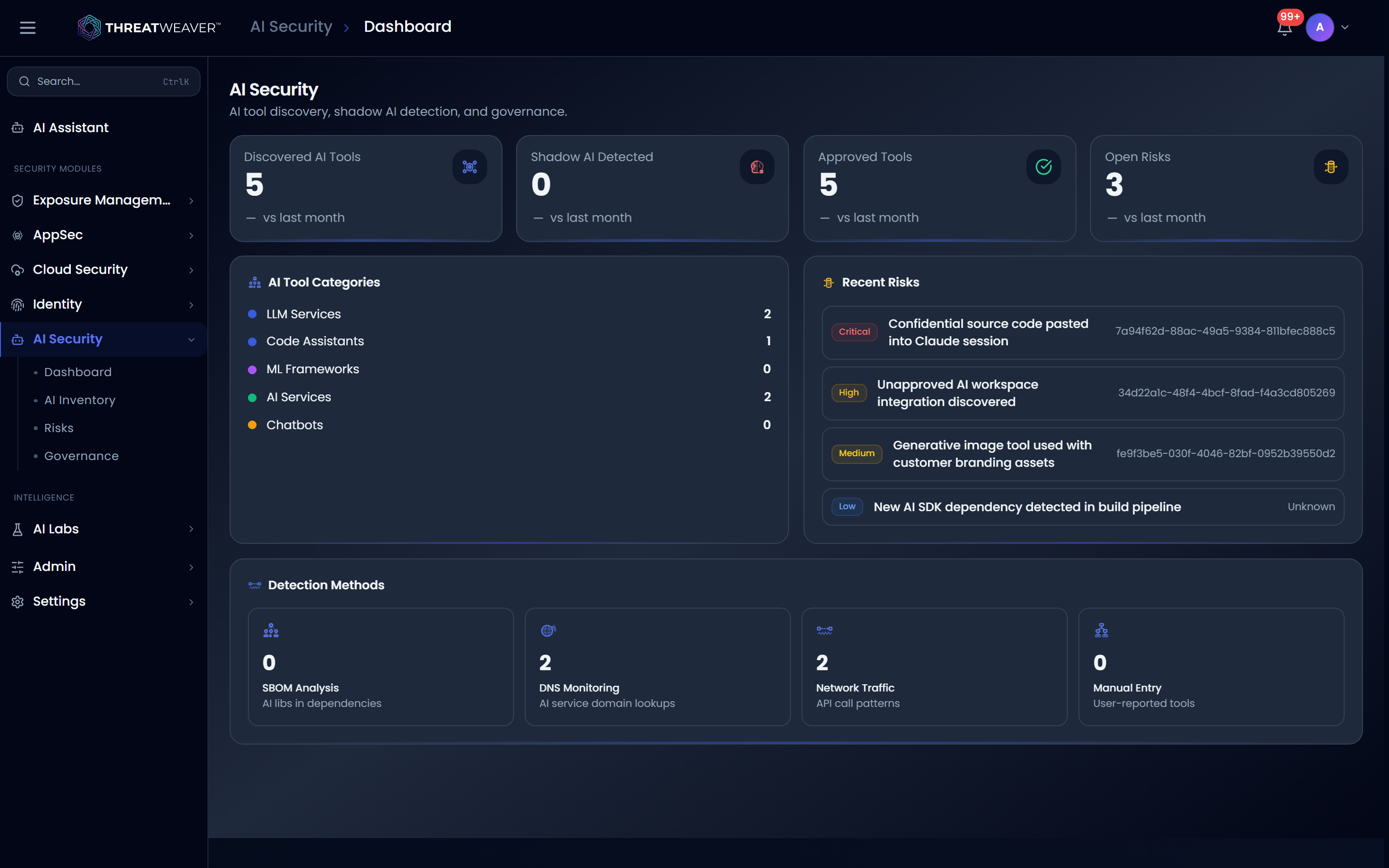
When you open AI Security, you land on the AI Security dashboard, a summary of how many AI tools have been discovered, how many are shadow AI, how many are approved, and how many risks are open. A row of tabs across the workspace takes you to each area: dashboard, inventory, risks, and governance.
From here you can move to:
- Dashboard: the discovery numbers, tool categories, and most recent risks, at a glance.
- AI Inventory: every discovered AI tool, with the ability to approve or block each one.
- Risks: shadow AI, data-leak, policy-violation, and unauthorized-model findings.
- Governance: the policies you've defined and the list of approved tools.
For every control on each of these screens, and a full end-to-end workflow, see Using AI Security.